Don’t Make Me Think (About a Note’s Title Before I Start Writing)
A pet peeve of mine is notes apps that force you to come up with a title for a note even before you’ve started writing its contents. If I’m brainstorming an idea or thinking through something, how will I have a coherent title before I’ve jotted down anything? It’s basically asking me to summarize my thoughts before exploring them.
Since I’m working on my own notes app, I try out a lot of notes apps (on the Mac, specifically). I’ve noticed there’s a spectrum to this note-creation friction:
- Worst: apps that pop up a dialog requiring you to enter a title before editing
- Better: apps that auto-suggest a unique title, like “Untitled” or “Untitled 2”
- Better still: apps that have a title field that are completely optional
- Best: apps that have a title field at all and instead derive a title from your note text
I think the “Worst” category is rare these days, but you do sometimes encounter it. I tried an app called NormalNotes recently and it forces you to name the note even before showing you the note editor.
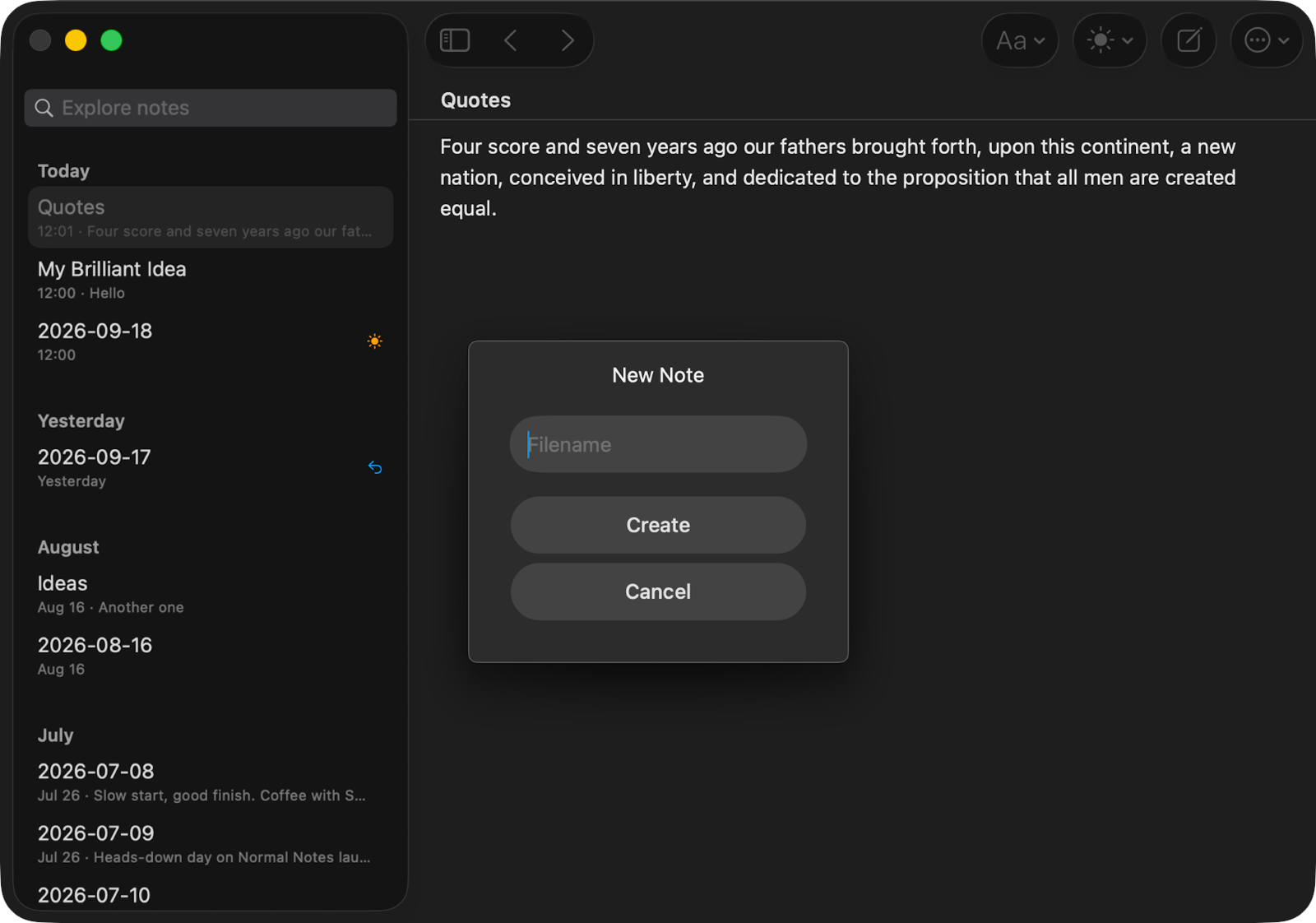 NormalNotes enforces a unique filename when creating a new note
In the “Better” category, apps like Obsidian auto-suggest an “Untitled” note name. I think this is typical of file-based editors. Of course, the downside to leaving a note untitled, beyond not being able to tell its contents, are that it makes creating links to other notes difficult. You can create wiki-style links in Obsidian and when you type [[ to start a link, it pops up a helpful list of notes you may want to link to. This is absolutely useless if you didn’t title your notes properly.
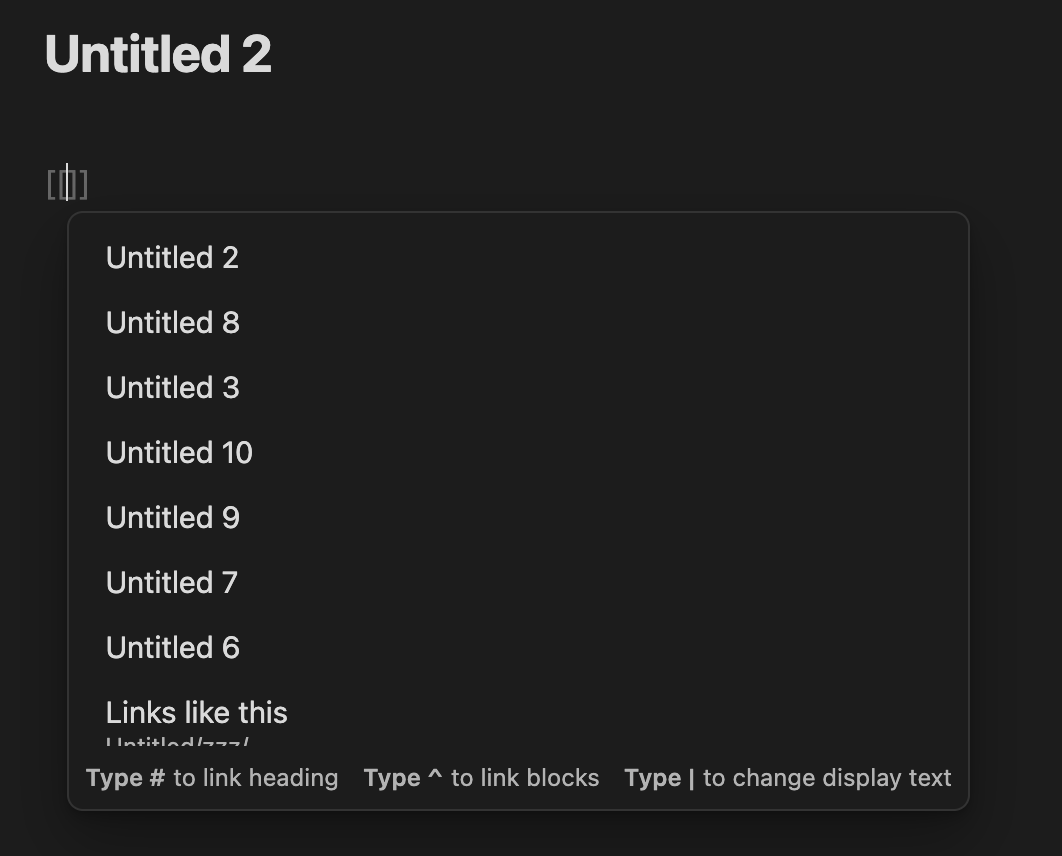 Creating a link in Obsidian: Which Untitled note was it that I put that useful information?
Obviously this forces you to maintain good note title hygene, or else you end up with something like this:
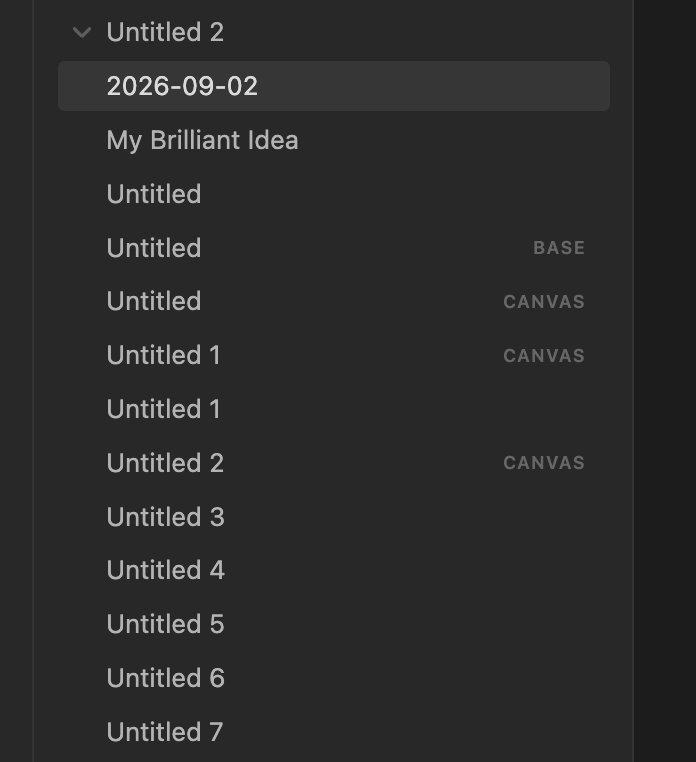
Untitled Hell in Obsidian
Funny enough, because you can have two files with the same “name” but different file extensions, you could have multiple files that show “Untitled” as the name, as in above. (The files shown are actually called Untitled.base, Untitled.canvas, and Untitled.md.)
In the “Better still” camp, OneNote doesn’t force you to enter a note title. It can derive note “title” using the contents of your note body. This is really good, but the blank title field just sits there looking sad and empty and there’s no indication that it’s actually optional, so I suspect most people fill it with something when creating a new note.
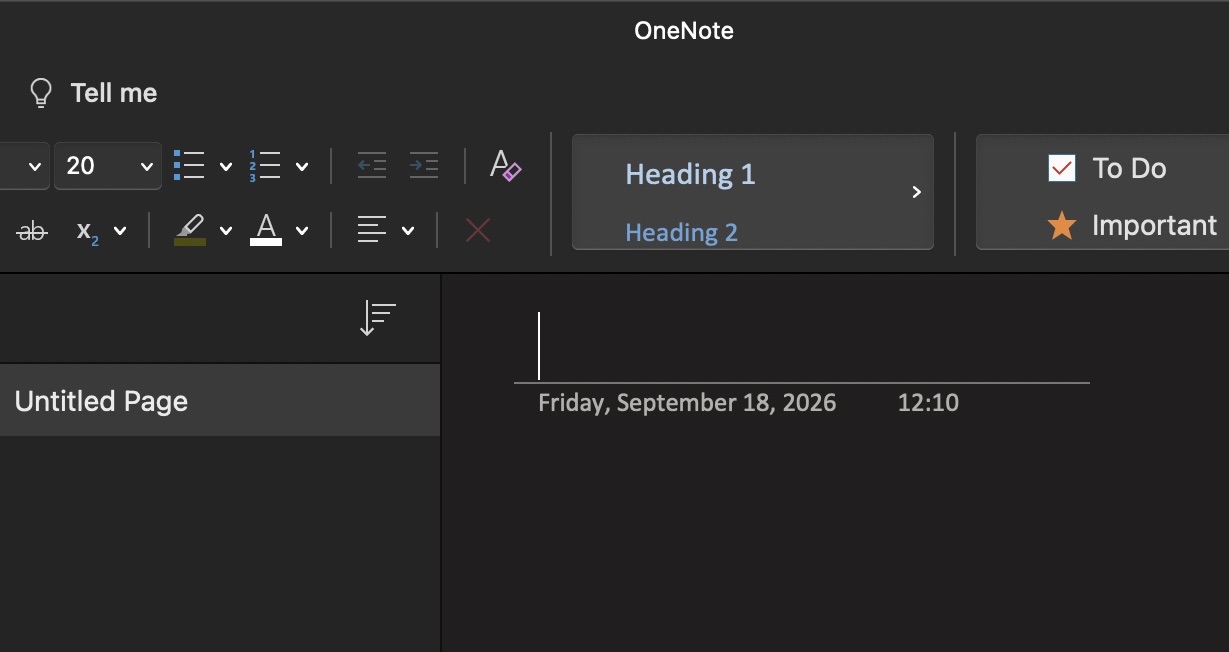 When creating a new note in OneNote, it seems you have to enter a title
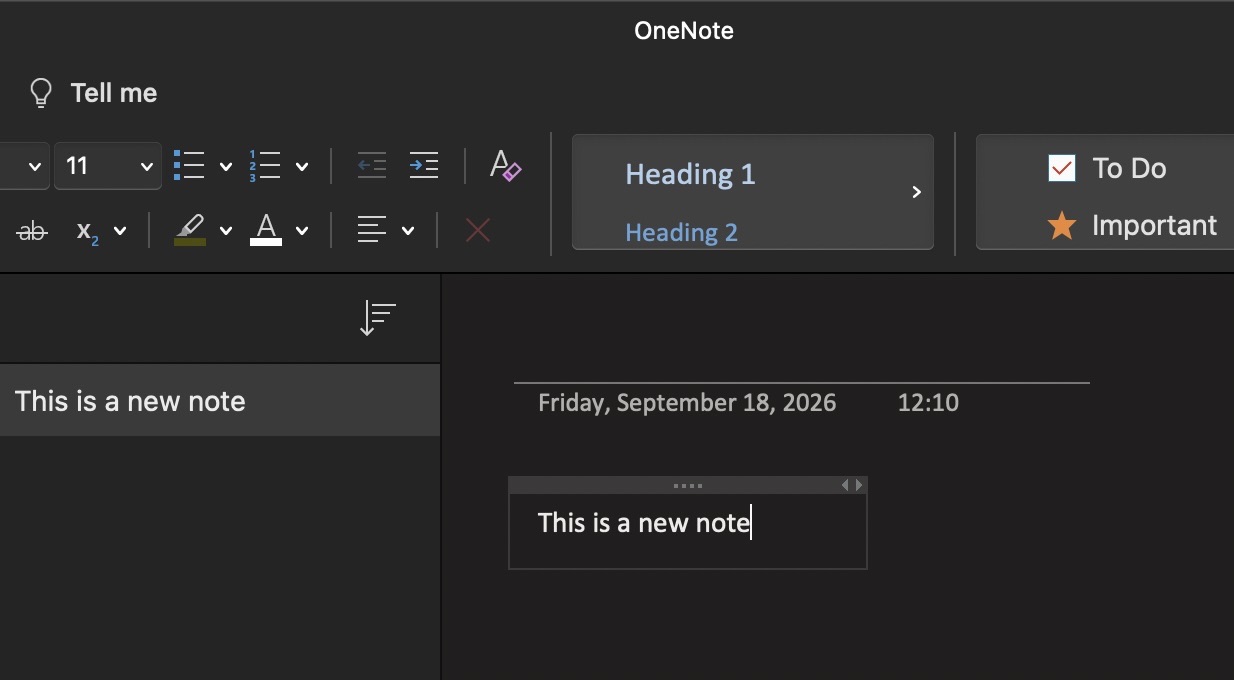 But no, you can leave the title blank and OneNote will derive a title from your text
Because of the ambiguity of the optionality of a note title, I would argue that maybe how Obsidian does it would be a better design here.
In the “Best” camp, Apple’s Notes app does something a lot of modern notes app do. Not only does it not require a title, when you start editing a note, it auto-formats the first line in a title font, nudging you to come up with a title. Bear also does this and both are pleasant to use as a result when you just want to jot down a quick note.
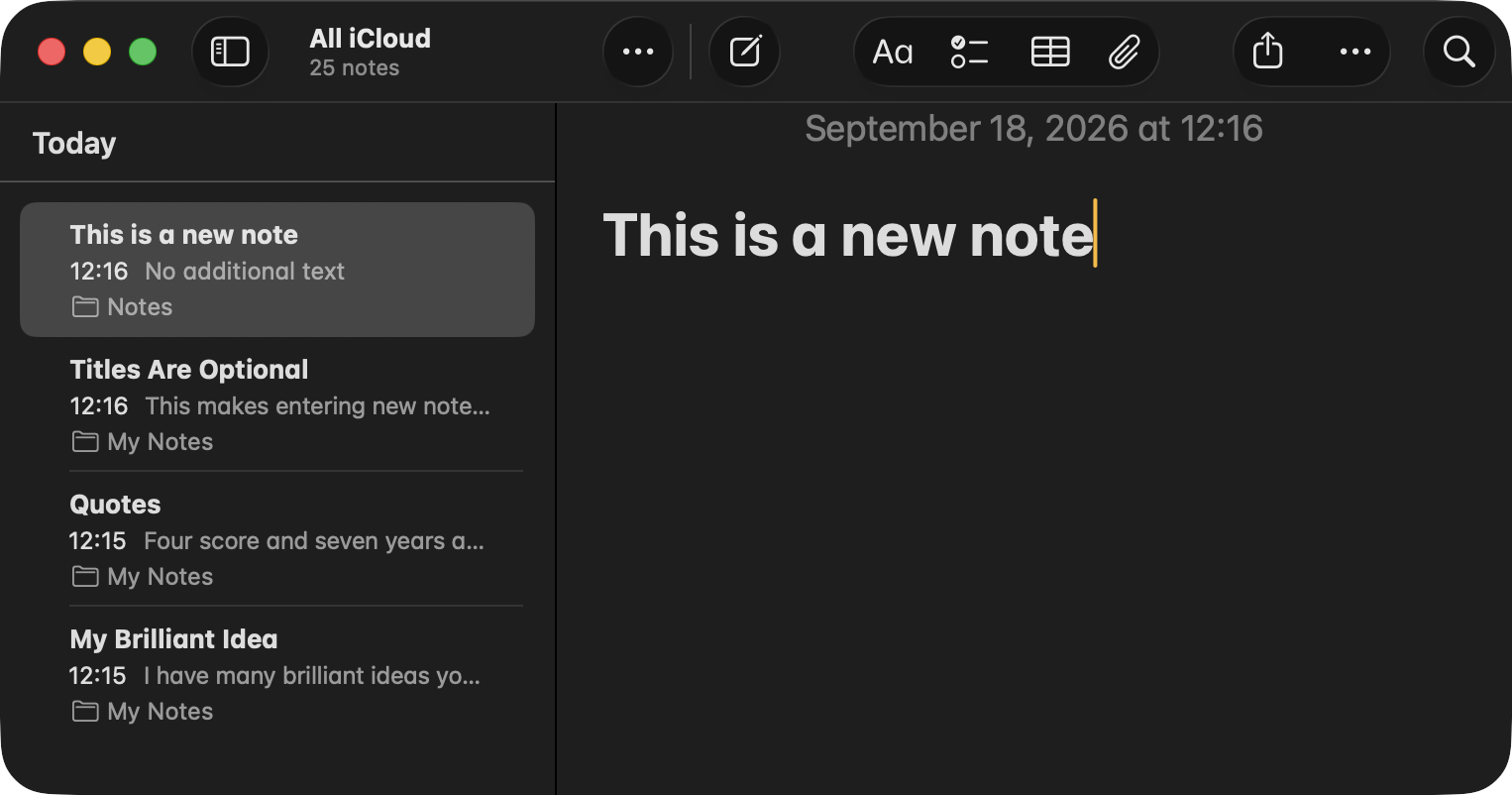 Apple Notes auto-formats the first line as a title, but you can change the formatting if you like.
With all that said, I know why many of these notes app impose this limitation on the user: they’re file-based. You have to assign a title to the note before you can save since the title is used for the file name. This leads to a secondary effect which I also dislike: you can’t reuse a title. If you decide to name a note “Idea” because you can’t think of anything better, but you already have a note called “Idea”, you’ve got to come up with another title.
Apps that aren’t file-based can freely leave out the title requirement. Presumably, Apple’s Notes app and Bear do it this way.
This all might not seem like a big deal, but I’m convinced these little friction points end up forcing the user to be very formal about how they jot down thoughts and ideas. As most programmers know, naming things is very difficult, so why force a user to do something difficult when jotting down a note?
It’s a big enough friction, in my opinion, that it leads one to believe a note must be well-considered before writing anything down. I disagree. If you keep a paper notebook on hand, you probably don’t entitle your thoughts before you start writing. You just write. Imagine how annoying it would be to grab a yellow sticky note and think to yourself “What should I title this sticky note?” before jotting down a piece of information.
Now it’s true that after you’ve created an Untitled note, you’re free to go back and rename it apps that force a name, but that’s additional friction to me. In Obsidian for the Mac, for instance, you have to click on the title field of a note to start editing it. As far as I can tell I can’t get there by keyboard alone. It’s a small friction, but if you’re deep in thought and writing, it’s ideal to have your tools just get out of your way. If you were using Apple Notes, you could hit ⌘↑ on the keyboard and go straight to the first line of text to change the title.
When I was working on the initial prototypes of my own notes app, Understory, I knew I wanted to make creating new notes incredibly low friction, so I made it more like Bear and Apple Notes. It derives the note title, which it displays in the UI, from your note’s text. So, to create a new note, just hit ⌘N and start typing.
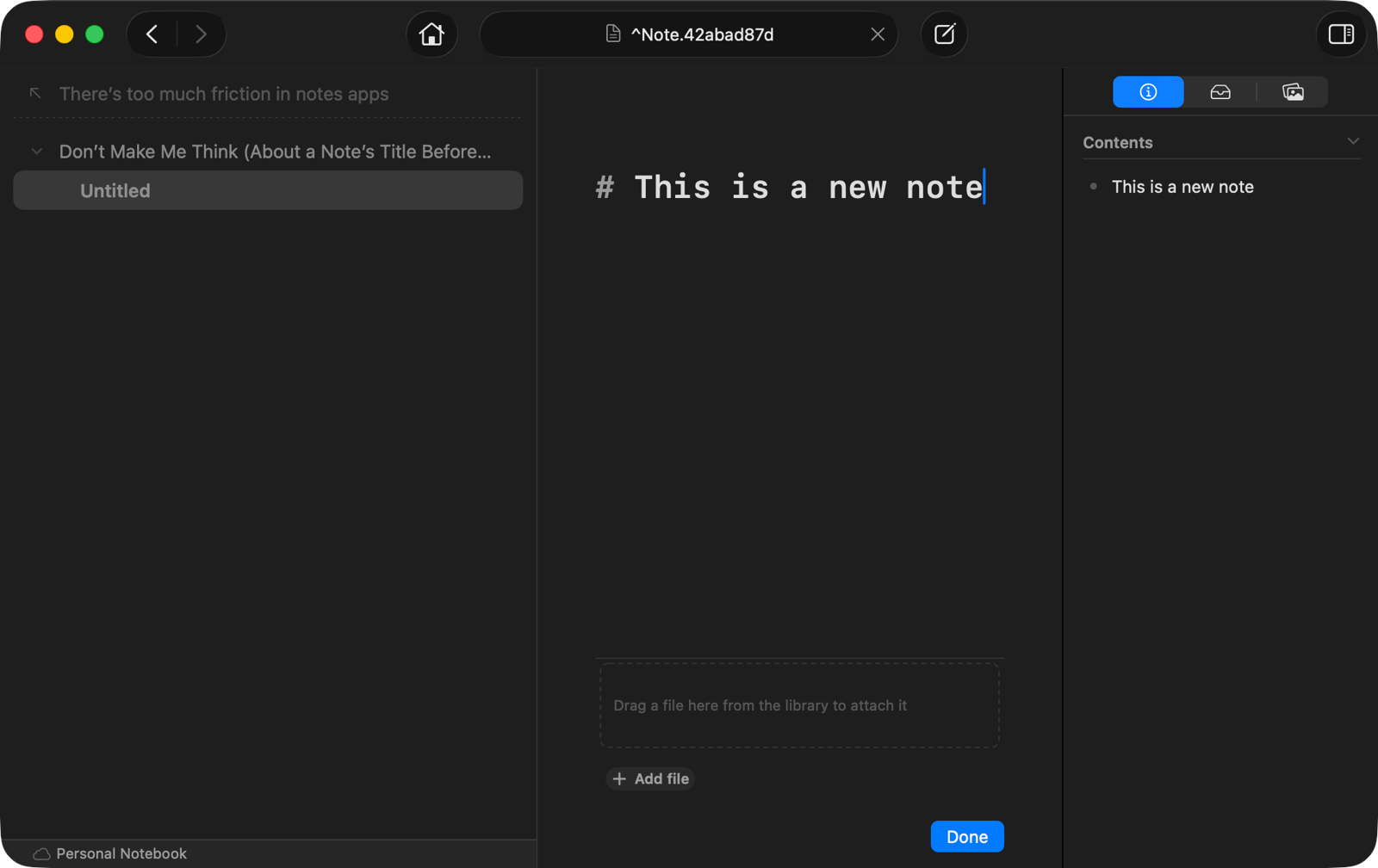 Creating a new, unsaved note in Understory temporarily calls it “Untitled” until you save
I’ve found that doing this has reduced my thinking about the note as a “thing” itself. A file on my Mac, that is. The thing is the text of the note, not the storage medium used to hold the text. I can’t prove it, but I think the metaphor of a file makes one a bit more precious about creating notes. A file takes up space, must be named, must be located somewhere. Text does not. Text is the idea itself. By taking away the notion of a file, the brain starts thinking at the level of the ideas. (Who knows, I could be wrong here!)
Even though the app does offer a file-based notebook format (using Markdown files), the file name it uses has nothing to do with the note title itself. (In fact, note’s have unique addresses instead, which is used to come up with the file name.) This means if you want to create dozens of notes called “Idea”, you can do it.
Of course, to make this all work, I did have to design the app with this in mind from the get-go. I can’t fault existing apps that are file-based from having to call your new notes Untitled, but if you yourself are creating a new notes app, consider avoiding forcing the user to come up with a name before they’ve even typed the first word of a note.
If you want to try out Understory, it’s currently in beta.